
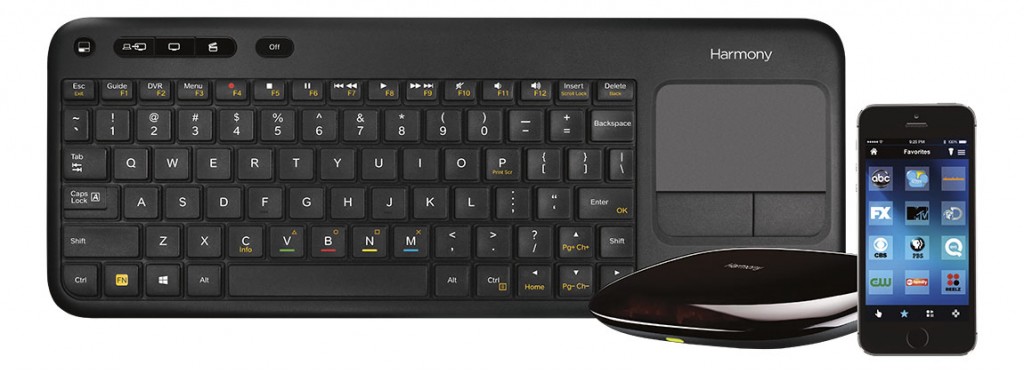
 If you’ve been reading our little piece of the internet for a while, you can probably tell we are a tech-family. We love all things electronic – from TV’s to PC’s, tablets, video game consoles and more. While all of these awesome gadgets are super fun, controlling all of them from various remotes, apps and controllers can be a pain! Not to mention how much clutter it creates. Enter the Logitech Harmony Smart Keyboard…

The Logitech Harmony Smart Keyboard makes enjoying digital media in your living room easier than ever. The specially designed keyboard simplifies text entry on internet-connected entertainment devices. Touch the “Movie” Activity button and the right devices switch to the right settings. Plus, it has integrated DVR and set-top box controls, playback and volume buttons, and a touchpad for cursor control on a PC or Mac.
When Best Buy asked if we would give this guy a review, I jumped at the chance. Honestly, the mess that having four different consoles and various TV controllers laying around drives me crazy. I can NEVER find the remote I need, and if Coach D isn’t home to help I’m often caught trying to control the PS3 with the Xbox controller. It’s a mental block I guess 🙂 And this keyboard was the perfect solution to my problem.
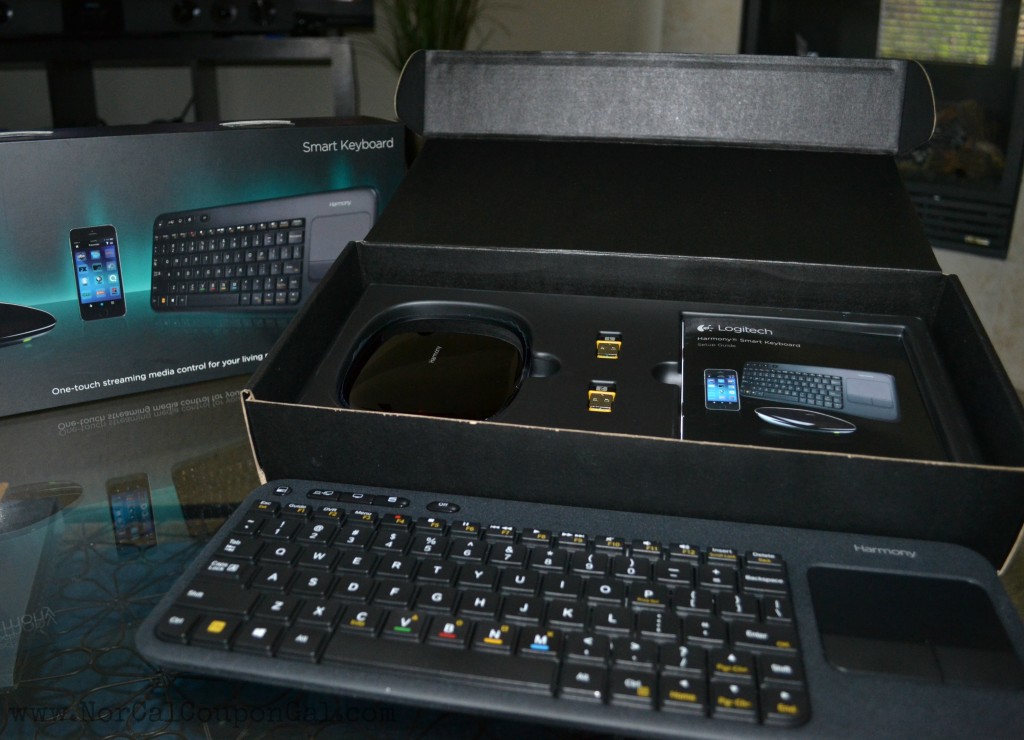
The Harmony Smart Keyboard delivers the full Harmony control experience for TV-connected Internet and home entertainment devices.
When I opened the box I was pleasantly surprised at how simply the setup appeared to be. There were no tangles of wires to navigate, no 300 page instruction manual – it was simply the keyboard, hub, a few USB plugs, an IR blaster and USB cables. I’m more comfortable with these inputs than I am AV cables and HDMI inputs, so I was delighted to see that this was going to be a very easy setup. I was also glad to see that there were two options for placing the Harmony Hub – either in a cabinet or out in the open and it can be controlled behind cabinets and walls.
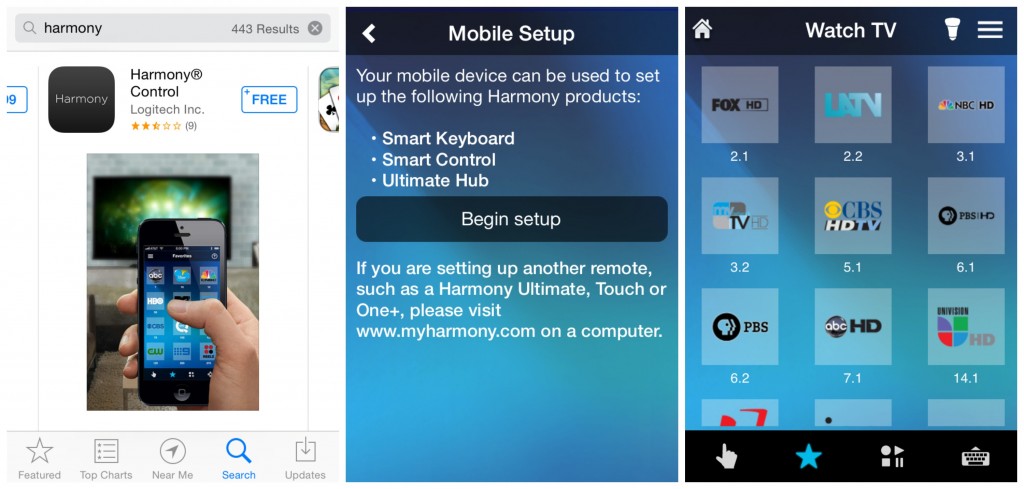 Once I plugged the hub in, I downloaded the app and followed the very easy setup instructions. The Harmony App turns iOS & Android smartphones into personal universal remote and in minutes my hub was connected to the Wifi and ready to pair with my devices. I decided to start with the TV first – and if I am being honest I was afraid that we wouldn’t be able to maximize the usefulness with this device on the TV function because we don’t have cable. We use an over-the-air digital antennae and guess what? The Logitech Harmony Smart Keyboard CAN control it! It even auto-detected the available broadcasts in our area and set them as my favorite channels. How cool is that?!
The Logitech Harmony Smart Keyboard, sold exclusively at Best Buy, can control up to eight devices and offers a variety of features that I am seriously in love with:
- 3 one-touch activity button
- PC, TV, Movies
- Short and long presses provide 6 total activities
- Integrate touchpad for cursor control on PC or Mac
- IR, RF, USB, Bluetooth, Wi-Fi
- Media/Cable/DVR playback controls
- Simple smartphone setup
- Harmony App turns iOS & Android smartphones into personal universal remote
- Harmony Hub controls devices behind cabinets or walls
Since my initial setup we’ve added the sound bar, Xbox and PS3 to the keyboard and they all work wonderfully. I love that I now feel like I can control all of these gadgets with an easy-to-use remote – either my phone or the keyboard. The kids love it too! They can now easily use the TV to surf their favorite parent approved websites, like Disney Kids and Webkinz World and both can actually see the screen without having to bump heads like when they used the laptop. They can also easily open the Netflix App and find their favorite flicks, which was always difficult to do given the complexity of the original TV remote. Coach D loves it because he can easily communicate with messages on the Xbox and PS3 without having to scroll to each letter individually using his controller; simply type it out on the keyboard and you’re ready to go. All in all, we are delighted with the Logitech Harmony Smart Keyboard!
Thanks Best Buy, for bringing Harmony to our Home Entertainment!
The reviewer has been compensated in the form of a Best Buy Gift Card and/or received the product/service at a reduced price or for free.